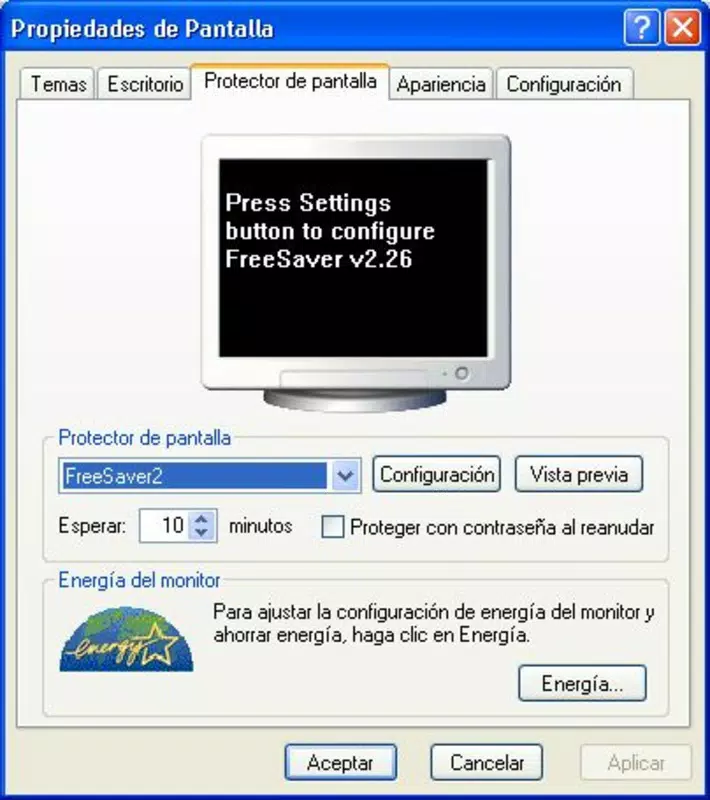


Download FreeSaver MP3 – Personalized Screensaver, Image & Music Integration, Custom Transitions
Overview
FreeSaver MP3 is a utility-focused mobile application designed to transform idle computer time into a personalized visual and auditory experience. By combining image displays with background music, the app enables users to create dynamic, customizable screensavers that reflect their individual style. It serves as a productivity-enhancing tool for individuals seeking to maintain a visually engaging digital environment during periods of inactivity. The app is particularly useful for professionals, creative users, and personal computer owners who value aesthetic customization and multimedia integration. Although the developer did not provide additional background information, the app’s functionality suggests a focus on user-driven content curation and seamless multimedia playback. Real-world use cases include displaying personal photo collections during work breaks, showcasing digital art in home offices, or playing ambient music while a device remains idle. In the broader app ecosystem, FreeSaver MP3 fills a niche for lightweight, specialized tools that enhance user engagement without demanding high system resources. Its longevity since 2011 indicates consistent relevance in a space where user experience and customization remain key priorities.Key Features & Functionality
FreeSaver MP3 offers a suite of practical tools that empower users to craft unique screensaver experiences. The app supports custom image selection, allowing users to manually pick individual photos or designate entire folders for automatic inclusion. This feature ensures that new media added to a folder is instantly available in the screensaver, promoting effortless content updates. Music integration is another core function, enabling users to select specific songs or playlists to play in the background. This audio-visual pairing enhances immersion and personalization. The app provides flexible settings for background color, image display duration, and format retention, ensuring compatibility with various image types and visual preferences. Users can also control transition effects between images, including speed and style, to achieve smooth and engaging visual flows. For example, a user might set a folder of vacation photos to cycle through with fade transitions every 10 seconds, accompanied by a favorite playlist. These features collectively allow for a highly tailored experience that adapts to different environments—be it a home workspace, creative studio, or personal entertainment setup. The app’s design emphasizes user control without requiring technical expertise, making it accessible to a broad audience.Feature List
- Custom image selection from individual files or entire folders
- Automatic inclusion of new media in designated folders
- Background music integration with user-selected tracks
- Adjustable image display time and transition speed
- Support for original photo formats and background color customization
- Multiple transition effects for dynamic visual flow
Interface, UX & Performance
The user interface of FreeSaver MP3 appears to prioritize functionality and ease of navigation, allowing users to access core features with minimal friction. While the developer did not provide detailed information on UI layout or visual style, the app’s design likely follows a clean, menu-driven structure to accommodate settings and media selection. Navigation is expected to be intuitive, guiding users through image and music setup, transition preferences, and playback options. The app’s performance is not explicitly documented, but given its focus on media playback and display, it is designed to operate efficiently during idle periods without significant system load. Although the developer did not list formal performance metrics, the app’s long-standing presence suggests stable operation across various device categories. Responsiveness is assumed to be consistent, enabling smooth transitions and uninterrupted audio playback. Stability during extended use is implied by its continued use since 2011. The app does not require constant user input once configured, making it ideal for background operation. Users can expect reliable behavior when the device enters idle mode, with minimal risk of crashes or audio sync issues. The overall user experience is geared toward simplicity and reliability, ensuring that the screensaver activates seamlessly and performs as intended.Platform Compatibility & Technical Requirements
FreeSaver MP3 is available on the Windows platform, though specific OS versions were not disclosed by the developer. The app’s file size is not specified, which may indicate a lightweight footprint typical of utility tools. Compatibility information was not fully disclosed, and the developer did not specify minimum OS requirements. Users should ensure their system meets general Windows standards for running multimedia applications. The app does not appear to require advanced hardware or specific drivers, suggesting broad compatibility with standard desktop and laptop configurations. While no details were provided about installation methods or file formats, the application is likely distributed as a standard executable for Windows. The absence of platform-specific details such as Android or iOS availability confirms that FreeSaver MP3 is not a mobile application in the traditional sense but rather a desktop utility. This distinction is important for users seeking mobile-compatible tools. The app’s technical requirements remain largely unknown, but its long-term functionality suggests compatibility with a wide range of Windows systems.Pros and Cons
Pros
- Allows users to create personalized screensavers with both images and music
- Supports automatic inclusion of new media from selected folders
- Offers customizable transition effects and display settings
- Enables background music playback for enhanced visual experience
- Designed for low system resource usage during idle periods
Cons
- Developer did not provide specific technical requirements or OS compatibility details
- File size and version information were not disclosed
- Platform availability is limited to Windows; no mobile or cross-platform support confirmed
- Performance metrics and stability data were not published
- App is not available on Android or iOS, limiting accessibility for mobile users
FAQ
Is FreeSaver MP3 safe to download and install?
The app is available through official sources, but users should ensure they download from trusted platforms to avoid bundled software or malware.
Can I use FreeSaver MP3 on my mobile device?
FreeSaver MP3 is designed for Windows desktops and is not available for Android or iOS devices.
Does FreeSaver MP3 require an internet connection?
Once installed, the app does not require an internet connection to function. However, online sources may be needed to download the app or media files.
How do I update FreeSaver MP3?
Update information was not provided. Users should check the official website or developer page for the latest version.
Can I use my own music and images with FreeSaver MP3?
Yes, users can select personal music tracks and image files, including entire folders, to create custom screensavers.


